The Built By DAO app
A place to turn participation into progress.
A community has skills, tools and materials that can do more together. The Built By DAO app helps make that capacity visible so members can choose useful work, build shared projects and follow the contributions that support them.
Access is currently limited while the web launch is prepared. What you can see and do depends on your profile, membership approval, permissions and the program involved. Financial features are not yet available for real-value use.
From what we have to what we can build
The ambition is a community that can see its own capabilities and put them to work. Skills and resources help reveal what is possible; member choice turns that capacity into coordinated work. Contribution records and eligible spending connect participation with the wider community economy.
See the skills in the network
Make individual capabilities easier to find, connect people with suitable opportunities and see where a project needs more experience.
Put useful resources back to work
Offer a tool on loan or give materials for project use, restoration or installation. Reviewed listings make ownership, permitted use and custody clear.
Choose work with a shared purpose
Find tasks that fit your skills and time, then connect your effort with other members through project coordination, evidence and review.
Follow contributions into community exchange
Understand recognized contributions, confirmed EQTBLT records and eligible ways to use EQTBLT within community services and businesses. Rewards and spending each follow their own terms.
Build the relationships that make it a community
Shared work also needs shared decisions, places to gather and ways to show up for one another. These features help turn a network of contributors into an ongoing community.
Shape what happens next
Turn ideas into clear proposals, decide guild matters and follow wider decisions through voting and authorized action.
Support one another
Prepare a request for shared support, participate in community decisions and follow approved aid through its payment process.
Gather around a shared purpose
Help community plans become real gatherings through participation, coordination and a shared record of the event.
Make room for community life
Find eligible shared-space bookings and amenity access, with the availability and terms needed to plan their use.
The features that support the journey
Start with the areas available to your account. Some actions need a review, an eligible role or an active local program before you can use them.
Make a start
Build your profile, choose your local cohort, add skills and availability, and follow your application and onboarding steps. Your dashboard brings your next steps together.
Find work that fits
Browse opportunities and match scores, explore projects, claim tasks and keep track of your work. Submit evidence for review and follow the result.
Keep building your skills
Work through lessons and quizzes, maintain your skills profile, and explore ranks and merit badges. Learning progress and reward settlement are separate steps.
Stay connected
Use messages and notifications, find events, share referrals and explore mutual aid. Cohorts and guilds help people organize around local work and shared interests.
Take part in decisions
Read proposals and follow their progress. Eligible members can vote or create proposals under the rules for that decision; access depends on the proposal and your standing.
Follow your EQTBLT and wallet
Link a wallet, review your contribution history and confirmed EQTBLT, and find available spending, Bank and vesting workflows. Approval and payment are separate steps.
Connect work with place
Explore property and project information, lease information, amenities and bookings where your membership and the local program provide access. Housing and services depend on actual availability and terms.
Follow your investor journey
Investor and hybrid accounts have their own application, verification and account workflows. Private investment interests, BLTBY and member EQTBLT each have separate terms.
Your first contribution, step by step
- Apply, complete your profile and follow the education and review steps shown for your account.
- Explore opportunities that fit your skills, location and availability. Read the task before you claim it.
- Do the work, submit the requested evidence and follow the review. Check confirmed EQTBLT separately in your earnings history.
iPhone development preview
A companion for the work ahead
The native iPhone app is being prepared as a companion to the web dashboard, with work, events, inbox and profile areas. The iPhone app is in development and will follow the web launch.
Actual native iPhone screens from the development build, captured with fictional sample data. The iPhone companion is in development.
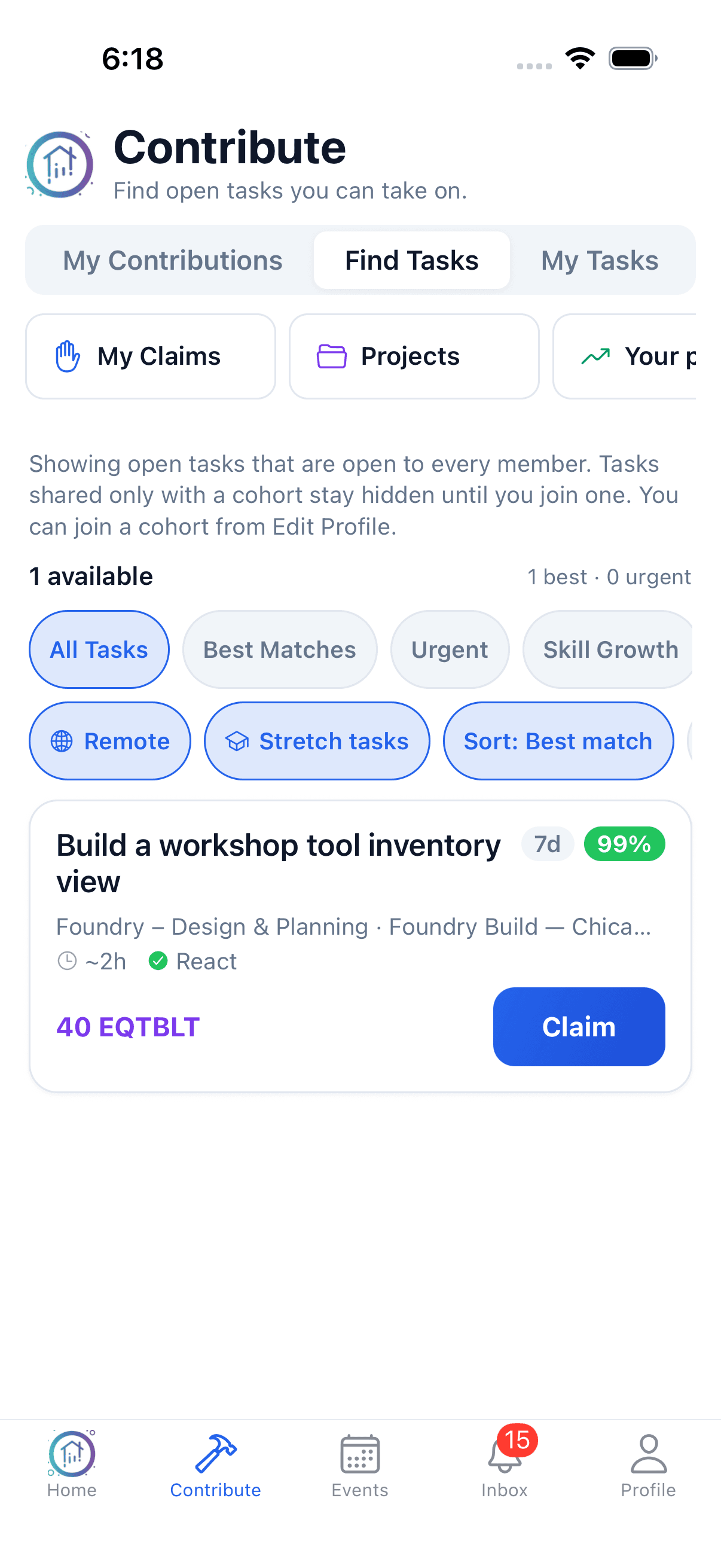
Find work that fits
Explore an open task with its skill fit and effort. The displayed match and 40 EQTBLT quote are sample task terms, not earned rewards or a standard rate.
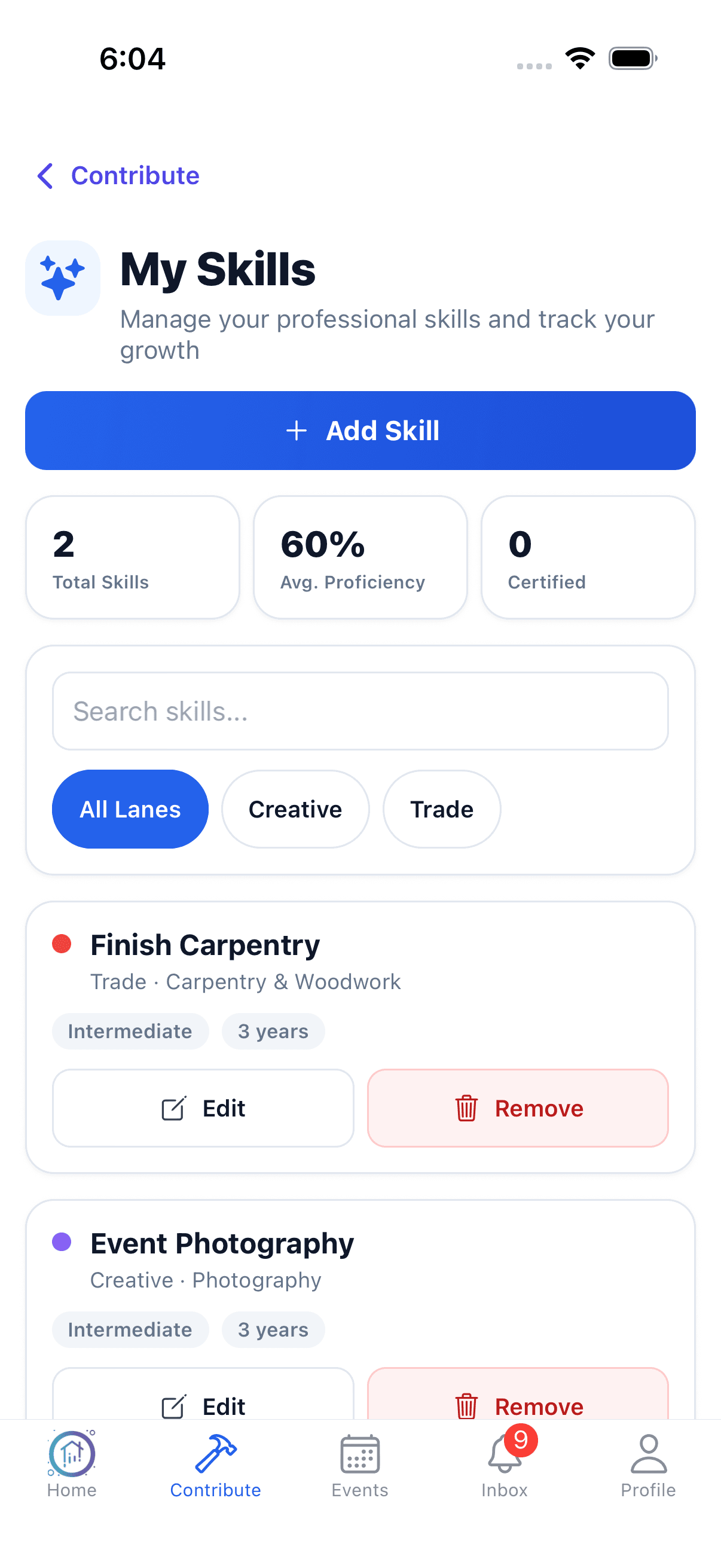
Bring your skills into view
Maintain the abilities and experience you bring to the community.
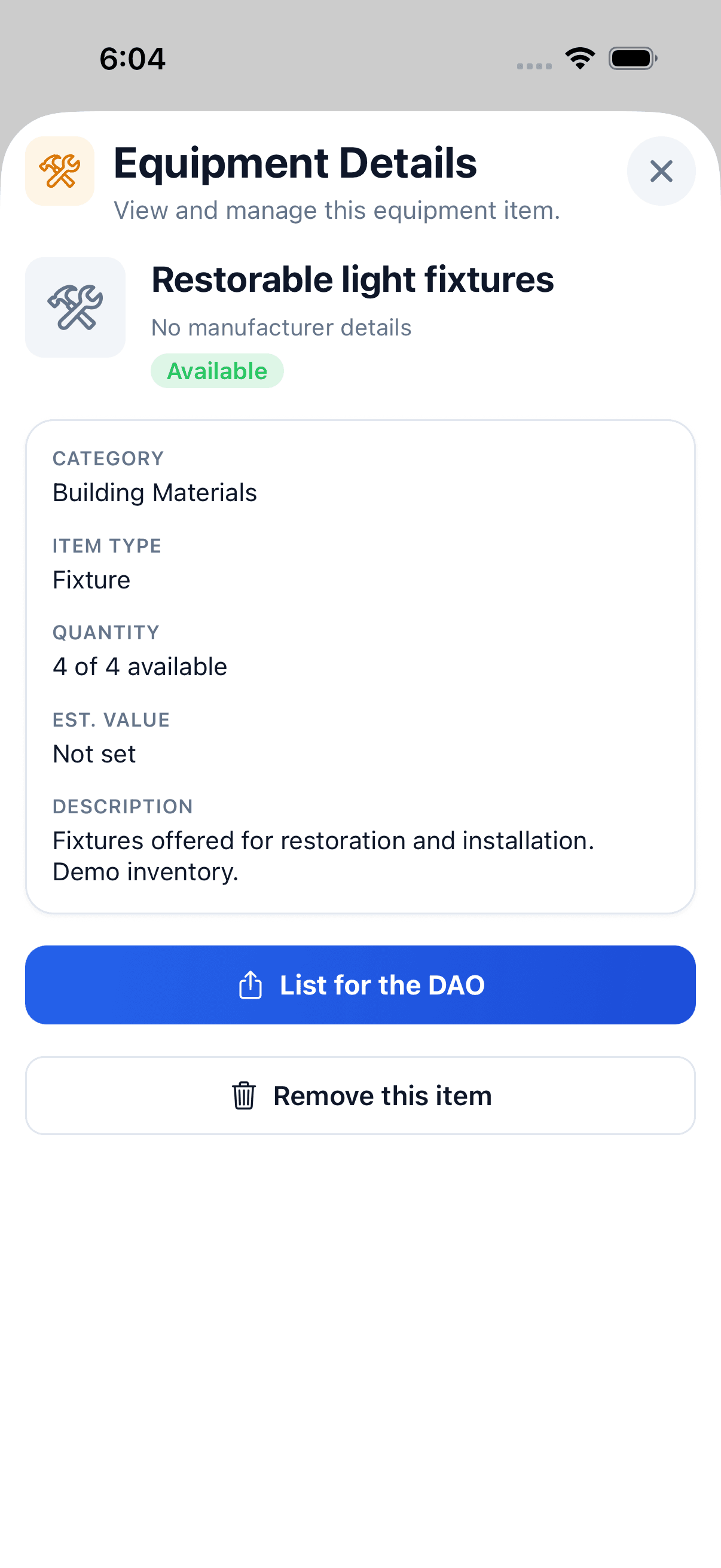
Give an item a useful record
Describe a resource and its availability before choosing how to offer it.
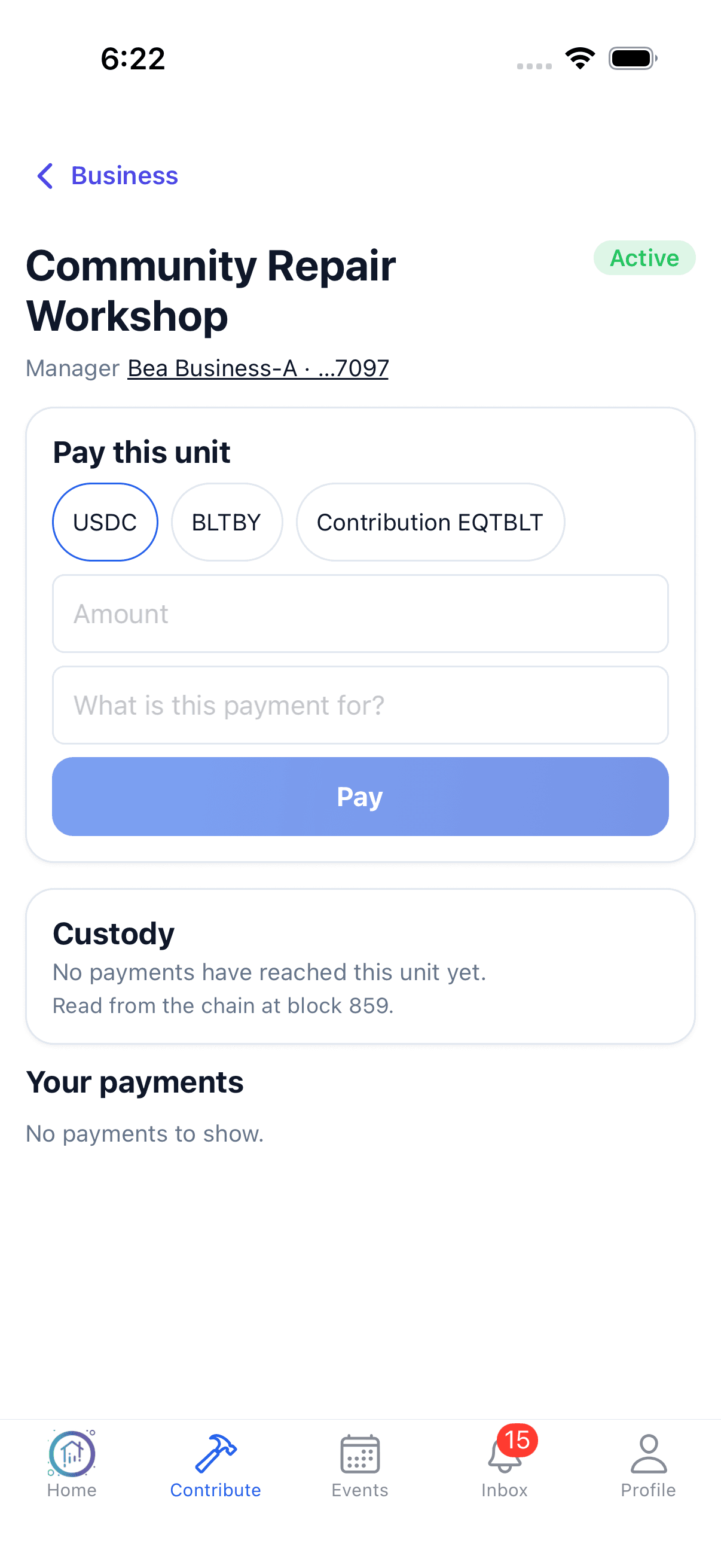
Review the payment choices
The sample form shows configured payment choices before an amount or purpose is entered. No payment was submitted or completed.