Built By DAO
Inside the Dashboard
A tour of the Built By DAO dashboard: membership and skills, task review, proposals, treasury budgets and future housing credit.

Membership, Work and Decisions in One Place
The dashboard brings a member’s credential, skills and project work into the same application as governance and treasury. A member can understand the requirements of a task, follow its review and distinguish an accepted result from confirmed credit. Proposals and treasury views explain the decisions and resources around that work.
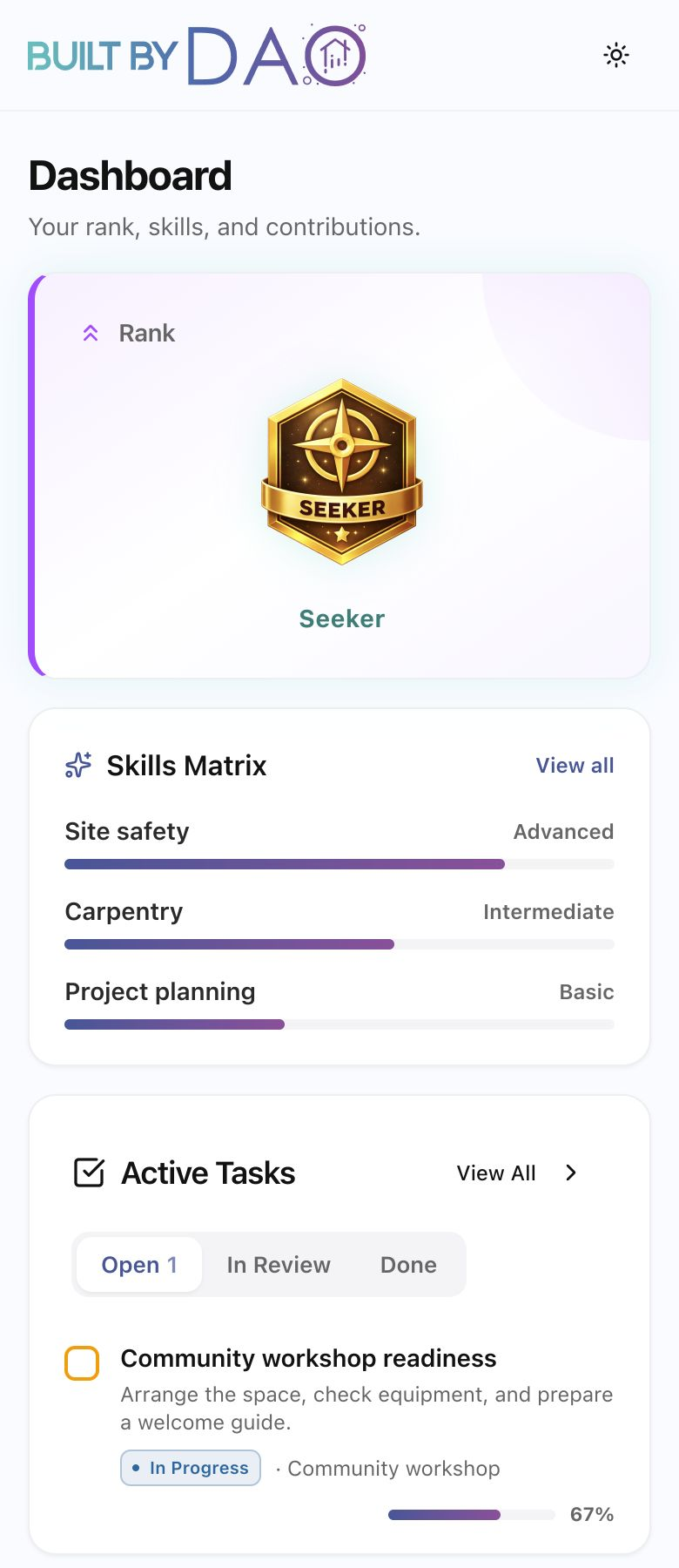
The previews on this page show how those areas appear on mobile and desktop. The desktop view combines membership, skills, task progress and project-budget summaries. The figures and project activity shown are sample data.
Dashboard Previews
Membership
Membership, skills and active tasks in the dashboard preview.View Full Preview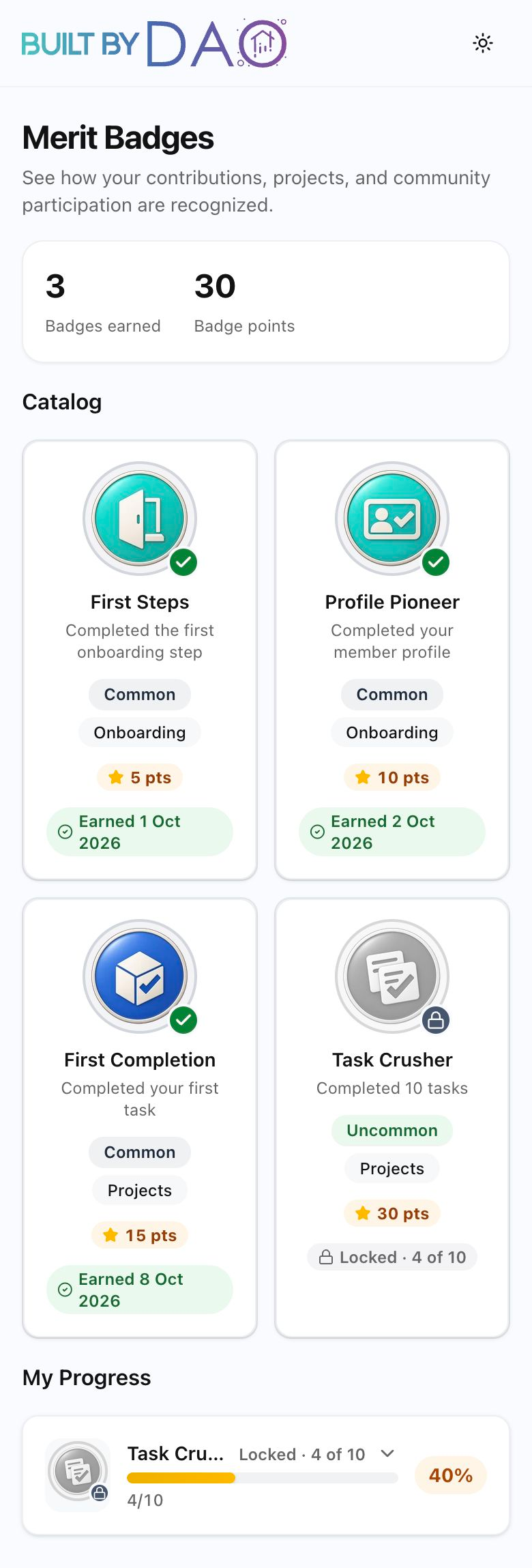
Merit Badges
Merit badges and progress in the dashboard preview.View Full Preview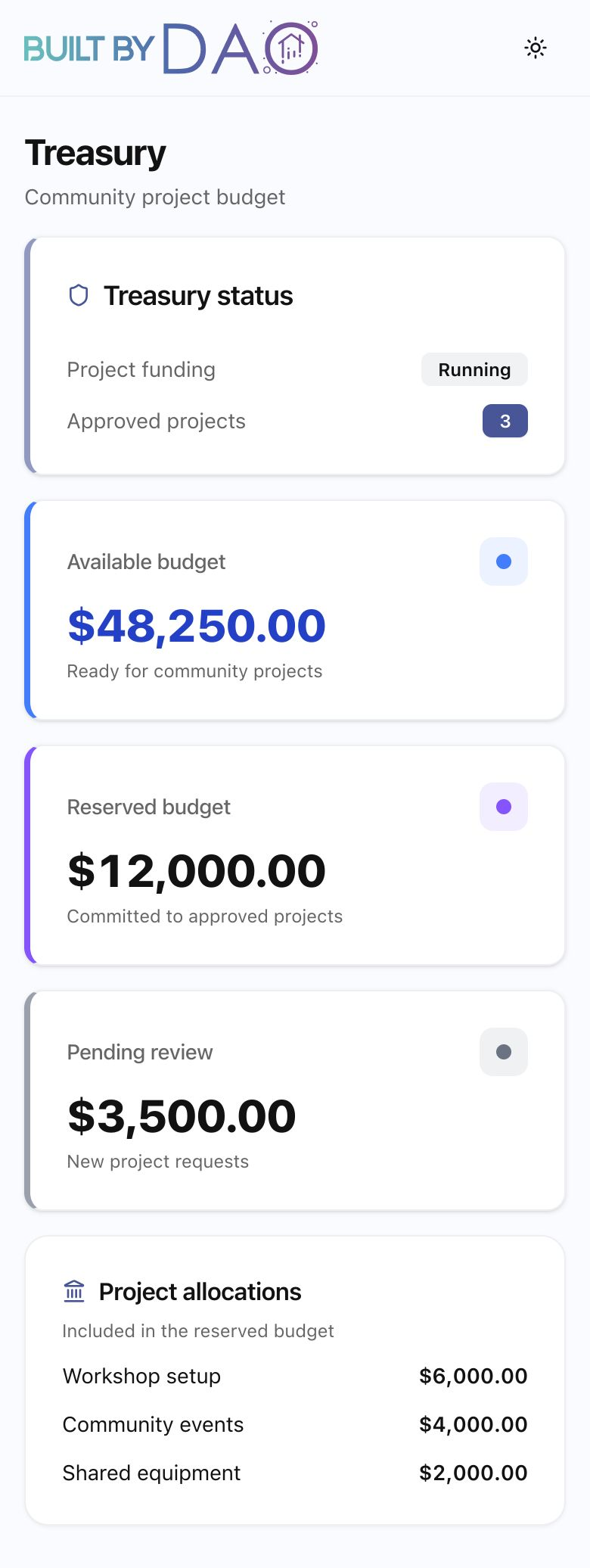
Treasury
Treasury budget views with sample data.View Full Preview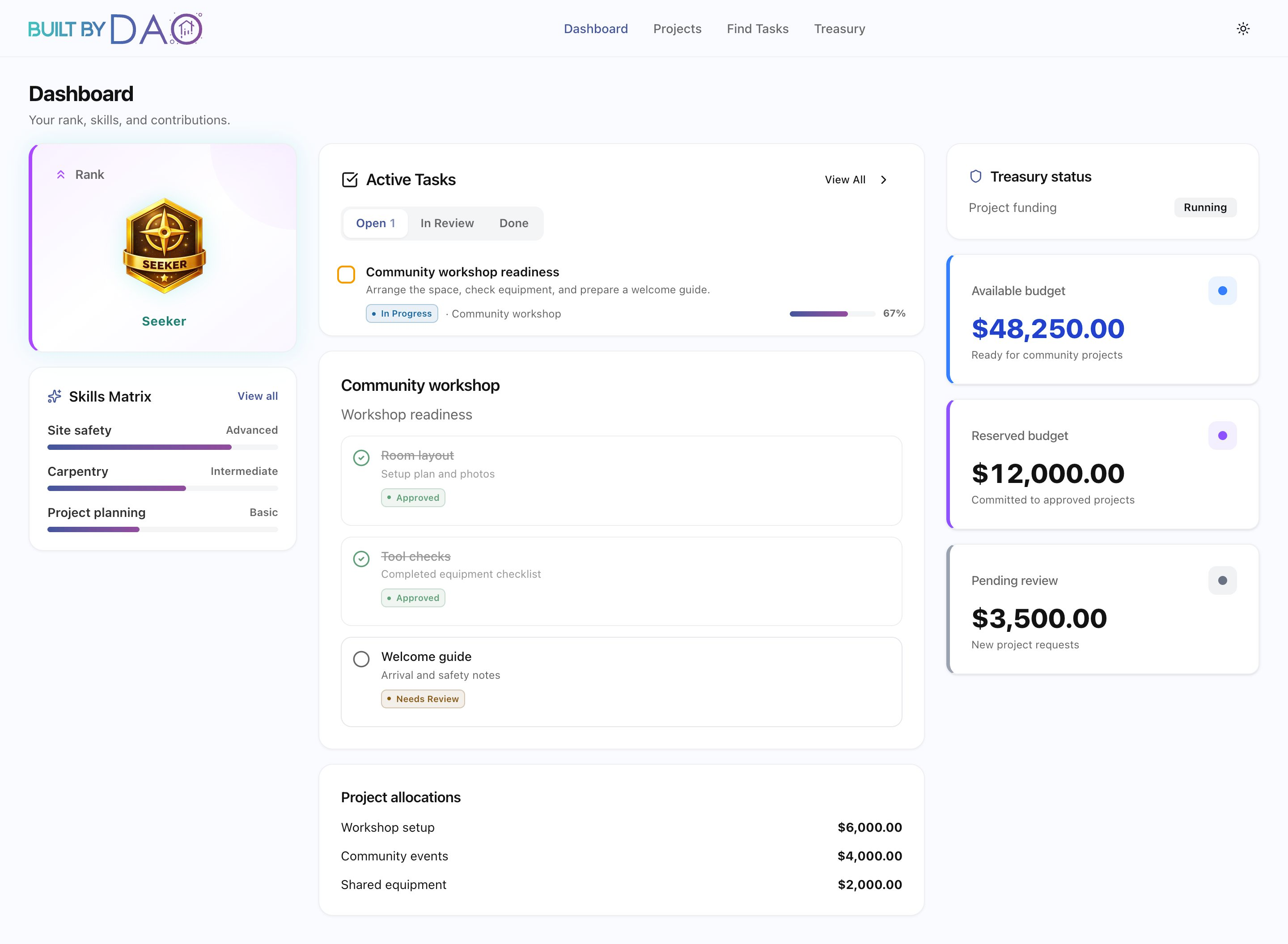
Dashboard
The desktop dashboard preview with sample data.View Full PreviewYour Credential, Standing and Skills
The membership preview places Seeker rank, skills and active tasks together. Rank describes responsibility within the organization. Skills and merit describe proficiency in a craft. Good standing is a separate status used when checking whether a member is eligible to earn credit or take part in governance.
Membership Rank
Fourteen ranks run from Seeker to Steward. Rank is part of organizational responsibility and eligibility; it does not grant permission for every action.
Current Standing
A member can hold a credential while not being in good standing. Current status remains a separate eligibility check.
Skills and Merit
Guild proficiency runs from Novice to Master. The merit preview illustrates earned and locked badges, separately from membership rank.
Task Requirements, Evidence and Review
A task states its scope, expected result, deadline, required skills and rank. These details let the member and reviewer work from the same expectations. Review then checks the completed result and its supporting evidence.
Work can be approved before its credit is confirmed. Credit also depends on good standing, an authorized funded project release and confirmation. Following the review and credit stages separately shows whether the work is still being assessed or an accepted result is awaiting a remaining condition.
A Proposal Before and After the Vote
The governance view previews the proposal’s category, required houses and eligible participants. The three houses are Contributor, Investor and Council; the category determines which must approve. The eligibility snapshot fixes the voter set and power before voting opens.
The proposal then moves through voting, finalization, a cooling-off period and execution. A successful vote establishes approval. Execution carries out the approved action. The proposal state shows which milestone has been reached, while rule previews explain requirements for participation.
Treasury Budgets and Spending Authority
The treasury preview uses available, reserved and pending labels to show illustrative budget states alongside project activity.
The treasury’s operating records include balances, allocations, spending limits and required roles. Resources held, resources assigned to a purpose and permission to spend are separate parts of the picture. Business units also keep their own receipts and balances, with revenue moving to the treasury.
The Rent Behind Future Housing Credit
When qualifying member properties open, Housing Loyalty would display the property schedule, rate set for the lease term and qualifying base rent. Credit would be recorded once for each verified period, giving the resident a way to follow its source.
That rent-derived credit stays separate from credit earned through reviewed work and does not add Contributor voting power. No member property is open yet; this view describes the record for a future housing program.
Pending Is Different From Confirmed
Submitting an action is one step; confirmation is another. The dashboard’s transaction model follows that progress and identifies missing requirements. A pending result is not presented as a completed balance, and unavailable data is not treated as a confirmed zero.
The dashboard is live, while a particular action still depends on its policies, permissions and required program conditions. Reading its state explains what has completed and what still needs to happen.
Keep Exploring
For questions, email Marquis.